> ## Documentation Index
> Fetch the complete documentation index at: https://platform.kimi.com/docs/llms.txt
> Use this file to discover all available pages before exploring further.
# 在 Cline 中使用 Kimi
本文介绍如何在 VS Code 的 Cline 扩展中使用 Kimi K2.7 Code 模型。
> [Cline](https://cline.bot/) 是 VS Code 的 AI 编程扩展,配置项和支持能力可能随 Cline 版本变化。本文以 Kimi API 的官方调用方式为基础,说明一种通用接入方案:通过 Moonshot Provider 将 Cline 的模型请求转发到 Kimi API。
## 安装 Cline
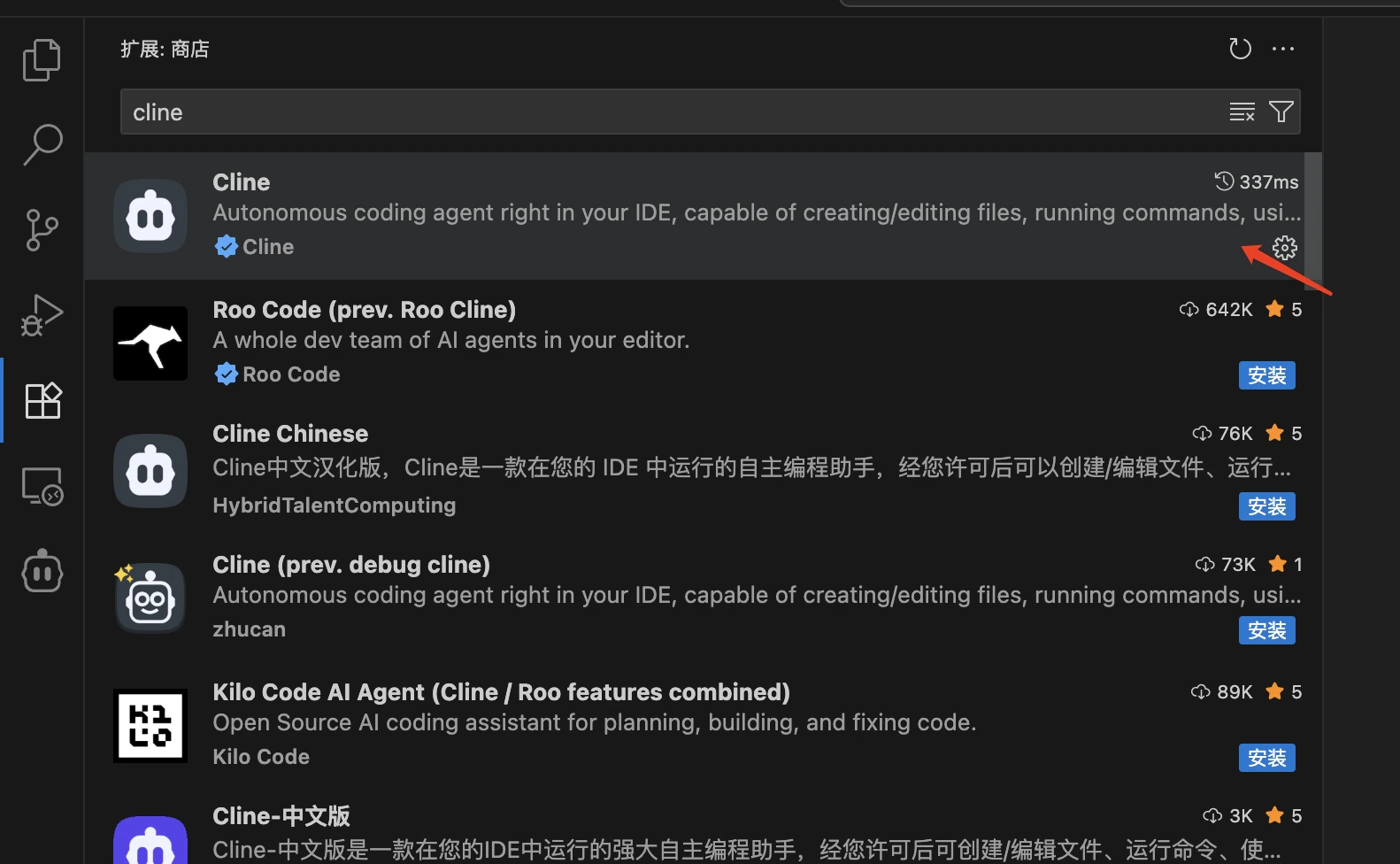
1. 打开 VS Code
2. 点击左侧活动栏中的扩展图标(或使用快捷键 `Ctrl+Shift+X` / `Cmd+Shift+X`)
3. 在搜索框中输入 `cline`
4. 找到 `Cline` 扩展(通常由 Cline Team 发布)
5. 点击 `Install` 按钮进行安装
6. 安装完成后,可能需要重启 VS Code
 ## 验证安装
安装完成后,您可以:
1. 在 VS Code 左侧活动栏中看到 Cline 图标
2. 或者通过命令面板(`Ctrl+Shift+P` / `Cmd+Shift+P`)搜索 "Cline" 相关命令来验证安装成功
## 配置 Moonshot Provider
> **获取 API Key**:请访问 [Kimi 开放平台](https://platform.kimi.com/console/api-keys) 创建 API Key,选择 default 默认项目。
配置步骤如下:
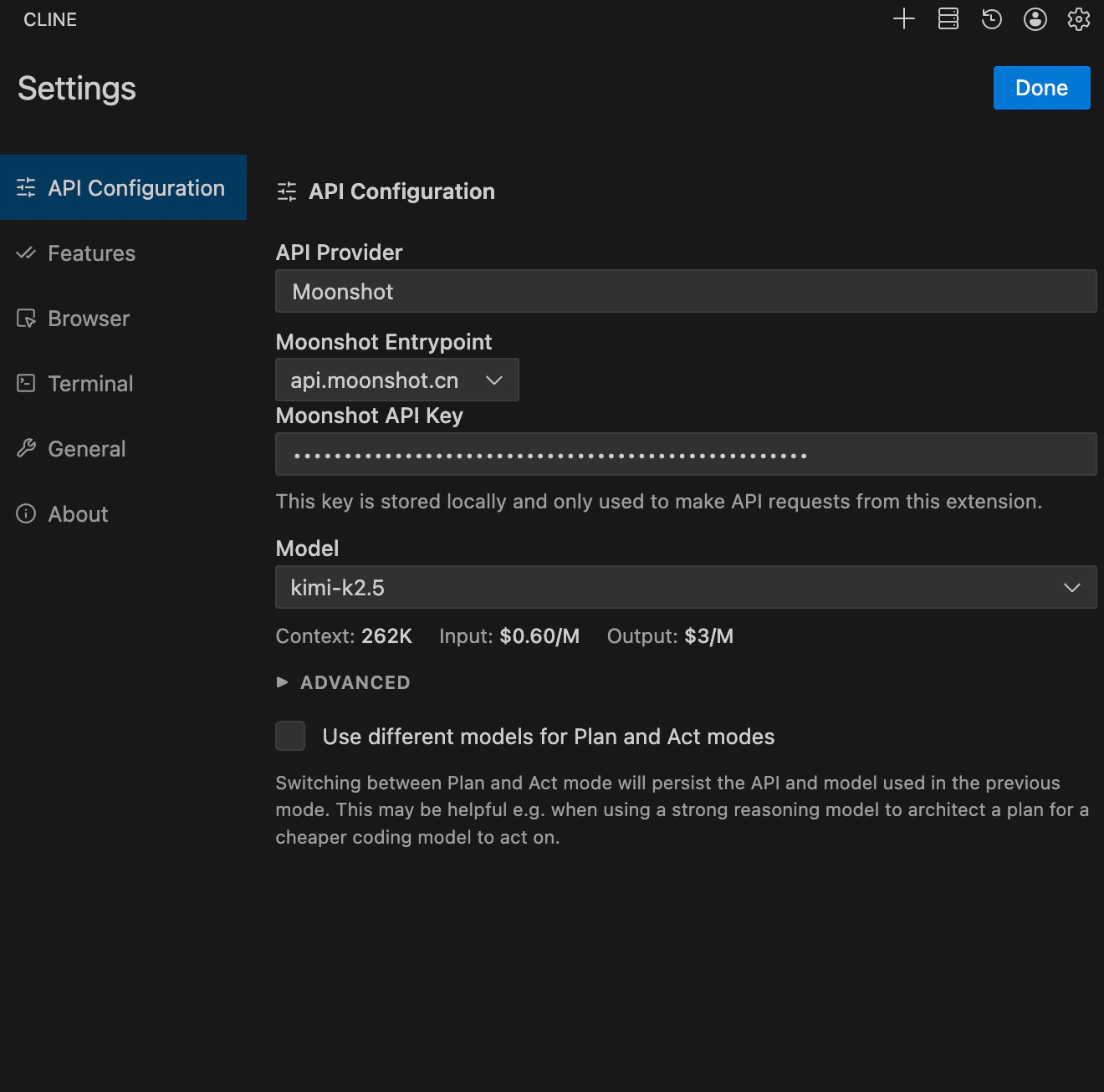
* API Provider 选择 `Moonshot`
* Moonshot Entrypoint 选择 `api.moonshot.cn`
* Moonshot API Key 配置从 Kimi 开放平台获取的 Key
* Model 选择 `kimi-k2.7-code`
* Browser 勾选 `Disable browser tool usage`
* 点击 `Done`,保存配置
## 验证安装
安装完成后,您可以:
1. 在 VS Code 左侧活动栏中看到 Cline 图标
2. 或者通过命令面板(`Ctrl+Shift+P` / `Cmd+Shift+P`)搜索 "Cline" 相关命令来验证安装成功
## 配置 Moonshot Provider
> **获取 API Key**:请访问 [Kimi 开放平台](https://platform.kimi.com/console/api-keys) 创建 API Key,选择 default 默认项目。
配置步骤如下:
* API Provider 选择 `Moonshot`
* Moonshot Entrypoint 选择 `api.moonshot.cn`
* Moonshot API Key 配置从 Kimi 开放平台获取的 Key
* Model 选择 `kimi-k2.7-code`
* Browser 勾选 `Disable browser tool usage`
* 点击 `Done`,保存配置